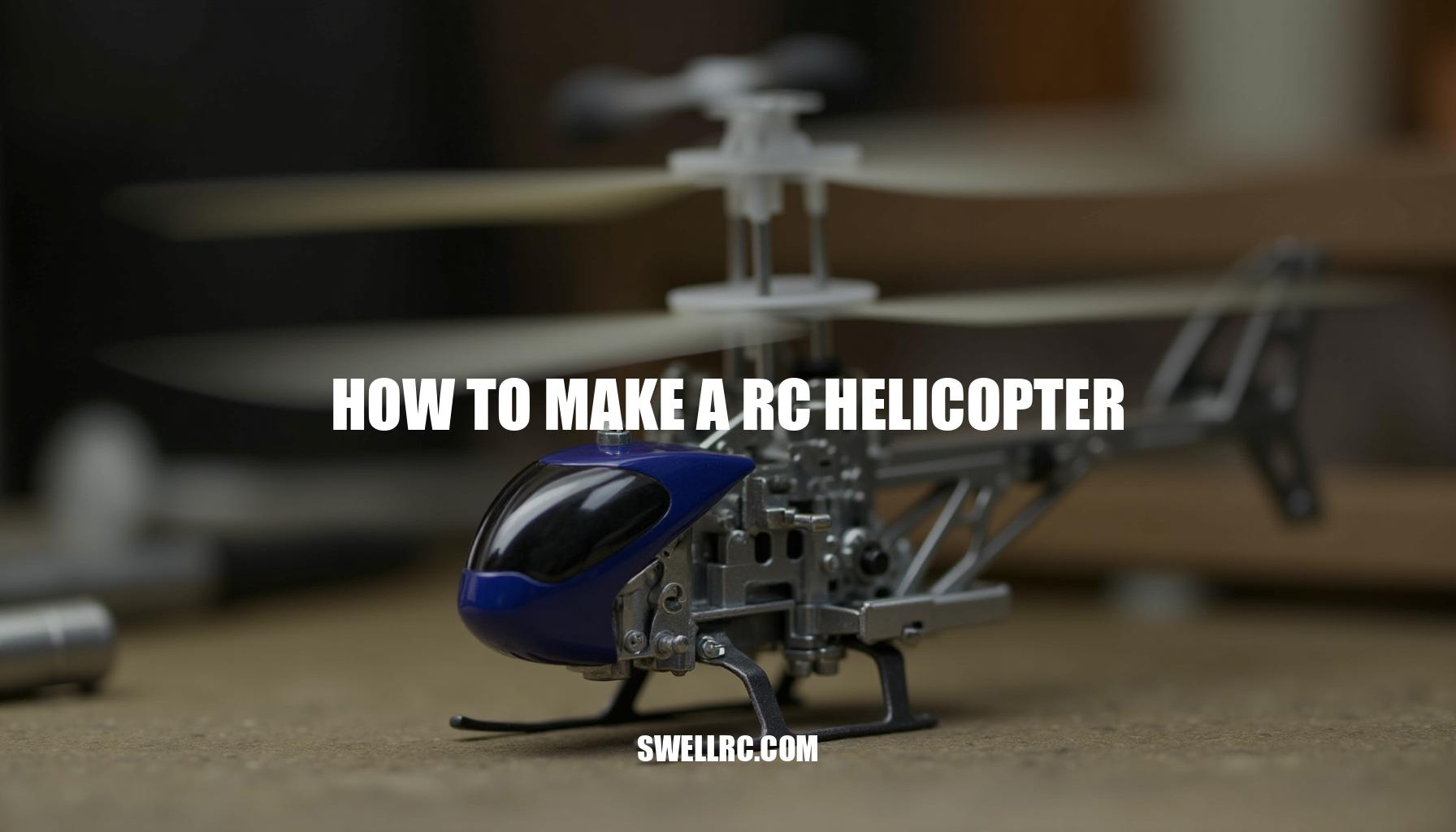
How to Make an RC Helicopter: A Step-by-Step Guide

The first time I saw a homemade RC helicopter lift off, I felt my stomach drop the way it does on a roller coaster. Intrigued by the remarkable flight of this remote-controlled helicopter, I just had to see if I could make one fly myself. This curiosity led me into late‑night sketching, trial‑and‑error soldering, and plenty of head‑scratching over why even a one‑degree blade tweak could change everything.
What I discovered was astonishing: with a handful of accessible parts, some patience, and smart testing, you can build a reliable, smooth‑flying RC aircraft that defies expectations.
In this comprehensive guide, I’ll share everything I learned the hard way—from basic flight mechanics and aerodynamics balance to the exact materials and tools you’ll need. You’ll get a step‑by‑step build process, starting from the frame assembly to achieving that exhilarating first hover. We’ll delve deep into servo adjustment techniques, ensuring control precision, and troubleshoot common issues like wobbles and jitters that often plague early flights.
Plus, once you nail your first build, you’ll be well-equipped to explore other exciting DIY RC projects, expanding your mastery over model helicopters and remote-controlled aircraft.
Whether you’re a hobbyist or a dedicated DIY tinkerer, building an RC helicopter is more than just a weekend project. It’s a hands‑on crash course in practical engineering—merging mechanics, electronics, and control systems—culminating in the grin‑inducing payoff when your helicopter finally hovers steady. Ready to embark on this thrilling journey of building your own model helicopter?
Let’s dive in.
II. Understanding the Basics of RC Helicopter Design
An RC helicopter exemplifies an intricate harmony of RC flight mechanics, where spinning rotor blades, sensitive sensors, and tiny muscle-like servos work in concert to achieve stable flight. Central to this balance is the main rotor system, featuring two or more rotor blades attached to a rotor head capable of altering pitch through cyclic and collective controls—this is the lifting heart that manages lift and tilt. Complementing it, the tail rotor or tail motor counters the torque produced by the main rotor and governs yaw; any slippage here results in a loose, unstable feel.
Holding these components together is the frame, whose stiffness is vital since even minimal flex manifests as undesirable wobble during flight.
Power delivery comes from a precise combination of a brushless motor and an electronic speed controller (ESC), the latter ensuring smooth metering of power essential for nuanced control. The flight controller equipped with a gyroscope module acts as the helicopter’s brain, stabilizing flight by interpreting pilot commands and sensor data to dynamically adjust flight parameters. Communication between pilot and helicopter is maintained via the receiver and flight transmitter, forming the radio link that translates user inputs into responsive maneuvers.
For those new to this, an informative primer on helicopter transmitters can be found here.
When considering power sources, electric setups offer clean, reliable performance and are excellent for beginners—although battery capacity limits flight duration. In contrast, gas or nitro engines provide longer flights accompanied by a visceral sound experience, albeit with increased vibration and maintenance demands and a steeper tuning learning curve.
Achieving optimal aerodynamics balance often hinges on subtle adjustments; for example, increasing collective pitch by just one degree notably raised my hover throttle and induced a slow forward drift. This was remedied by a slight cyclic trim and re-leveling the swashplate, showcasing how minor, informed tweaks can transform an RC helicopter from unstable to firmly “locked in,” embodying the precise interplay of all these vital components.
III. Materials and Tools You’ll Need
Before embarking on any scratch build of an RC helicopter, having a comprehensive kit ready is essential. This preparation not only saves hours of potential frustration but also helps avoid those common project‑stopping moments like realizing you’re missing a crucial connector. Understanding the tools needed to make an RC helicopter and the importance of each component is key to a smooth build process.
| Component | Function | Tip/Source |
|---|---|---|
| Frame material (carbon fiber, G10, plywood) | Holds alignment; stiffness reduces vibration | Carbon fiber for strength; plywood for prototypes. |
| Main rotor head and blades | Generates lift; adjustable pitch | Balance blades and check tracking early. |
| Tail rotor assembly (belt/shaft drive or tail motor) | Counters torque, controls yaw | Keep belt tension consistent; align tail fin. |
| Brushless motor (KV matched to rotor size and battery) | Provides thrust | Lower KV for larger rotors; mind mounting bolt pattern. |
| Electronic speed controller (ESC) with BEC (40–80A typical, heli mode if available) | Powers motor; BEC feeds electronics | Calibrate throttle; ensure adequate current; a high-quality ESC is crucial to prevent browning out. |
| LiPo battery (3S–6S, 1500–4000 mAh typical) | Energy source | Use quality cells; start conservative on cell count. |
| Flight controller/gyroscope module (FBL unit) | Stabilization and mixing | Mount on vibration‑damping foam; follow orientation arrows. |
| Receiver (matching your radio protocol) | Signal link | Position antennas away from carbon and power wires. |
| Servos: 3 cyclic + 1 tail (digital, metal‑gear recommended) | Controls blade pitch and tail yaw | Center horns at 90°; use proper servo horn length; faster digital servos enhance tail stability. |
| Power distribution board or harness | Routes power safely | Fuse or size wires correctly; tidy layout is crucial for reliability. |
| Wiring and connectors (14–22 AWG, XT60/EC3, JST) | Reliable connections | Crimp or solder securely; heat‑shrink every joint to ensure safety. |
| Hardware (bolts, nylocks, threadlocker) | Mechanical integrity | Blue threadlocker on metal‑to‑metal screws only. |
| Tools | Soldering iron (60W+), hex drivers, pitch gauge, swash leveler (DIY ok), calipers, multimeter, zip ties. | |
| Safety/test gear | Eye protection, gloves, prop/rotor covers, smoke stopper, fire‑safe LiPo bag. |
During assembly, proper servo adjustment and using a reliable power distribution board can make a significant difference in performance and durability. For instance, encountering a slow tail servo early on might cause tail wagging despite the gyroscope module working correctly; switching to a faster digital servo resolved the issue immediately. Similarly, an inexpensive electronic speed controller can lead to brownouts; adding an external 5–6V UBEC stabilized the electronics and prevented random reboots.
When building an RC aircraft like an RC helicopter, these insights and the right preparation are invaluable. For a deeper dive into board-level details, check out the comprehensive walkthrough here.
IV. Step-by-Step: How to Make an RC Helicopter
If you’re interested in how to build a remote control helicopter from scratch, following a detailed, step-by-step process ensures success and reliability. Here’s a refined guide incorporating essential RC flight mechanics and components selection:
- Frame construction: balance first
Start by dry-fitting the frame, motor mount, and landing skids, ensuring the main shaft is perfectly vertical. Focus on the center of gravity (CoG) alignment directly under the main shaft and use blue threadlocker on metal screws without overtightening into plastic parts.Slide the battery tray for fine-tuning balance later.
- Install main and tail rotors
Assemble the rotor head and feathering shaft, guaranteeing smooth rotor blade movement. Mount the tail boom properly and set the belt or gear mesh correctly so the tail spins freely without any play. Set the pitch range depending on rotor type: fixed-pitch (0 to about +10°) or collective-pitch (approximately −12° to +12°). - Wire and mount electronics
Install the motor and electronic speed controller (ESC) with proper airflow to prevent overheating, routing the ESC away from the receiver to reduce interference.Attach the flight controller on foam tape, aligning it precisely with the frame’s axes. Install cyclic servos and linkages, making sure servo horns are at 90° at mid-stick and the swashplate is level. For deeper insights on transmitter construction, check resources about handheld builds.
- Power system setup and radio link
Calibrate the ESC’s throttle range and set timing to medium, suitable for most helicopter motors.Secure the LiPo battery with straps and a safety tie, verifying polarity before initial power-up. Bind the radio transmitter and receiver, map channels appropriately, and set failsafe modes. This guarantees smooth communication during flight.
- Configure and calibrate
Within the flight controller, select the correct model type, sensor orientation, gyro direction, and tail configuration.Perform servo subtrim adjustments to perfect mid-stick geometry, and set endpoints and servo travel to prevent mechanical binding. Start with conservative gyro gains to ensure stable control before fine-tuning.
- Ground testing (blades off, then on)
Begin with powering up the helicopter without rotor blades to confirm motor rotation direction and servo function. Once verified, reinstall the rotor blades and balance them if vibrations occur during spool-up.Use a pitch gauge to set 0° pitch at mid-stick for collective pitch models, confirming equal positive and negative pitch ranges.
- First hover and quick tuning
Choose calm weather and an open area for your maiden hover flight. Slowly spool up the rotor blades, listening carefully for unusual vibrations. If the helicopter drifts forward or backward, apply small cyclic trims and recheck swashplate leveling.Address any tail wag or drift by adjusting gyro gain accordingly. For example, a minor servo adjustment corrected a half-turn linkage mismatch in one case, stabilizing flight readily.
This methodical approach, featuring crucial components like the flight controller and electronic speed controller, combined with proper servo adjustments and balanced rotor blades, provides a robust pathway to mastering RC flight mechanics while building your own remote control helicopter.
V. Troubleshooting and Fine‑Tuning Your First Flights
Early flights taught me that the word “unstable” usually means just one small thing is off in your setup. To save you some trial and error typical in common RC helicopter build mistakes, here’s a short list I wish I had taped to my transmitter when I first learned how to test fly a homemade RC helicopter. These quick fixes can help you pinpoint issues especially when working on servo adjustment, gyroscope module tuning, and aerodynamics balance.
For deeper fixes and repair ideas, this guide is gold: https://www.swellrc.com/how-to-fix-rc-helicopter/
| Problem | Likely Cause | Quick Fix |
|---|---|---|
| High vibration | Unbalanced blades, bent main/tail shaft | Balance/replace blades; check shafts; add fresh dampers |
| Tail wag | Gyro gain too high; slow tail servo | Lower gain; use faster digital servo; check tail linkage friction |
| Tail drift | Gyro gain too low; belt tension off | Raise gain slightly; correct belt/gear mesh and tension |
| Random resets | Weak BEC or bad solder joint | Add external UBEC; reflow joints; strain‑relief the harness |
| Motor cogging/jerks | ESC timing mismatch | Set timing to medium/high; ensure correct motor KV for battery |
| Short flight time | Under‑capacity battery; heavy airframe | Use higher mAh; trim weight; reduce pitch and head speed |
| Sluggish controls | Radio latency/interference | Re‑route antennas; change channel/receiver position |
| Hot ESC/motor | Underrated ESC; poor cooling | Use higher‑amp ESC; add airflow; check gear ratio and pitch |
Relatable reality check: After a dozen test flights, I finally traced a stubborn buzz to a slightly warped tail blade. Swapping it out made the gyro’s job effortless and the hover silky smooth. Tackling these common glitches with the right servo adjustment and ensuring proper aerodynamics balance while fine-tuning your gyroscope module will dramatically improve your helicopter’s stability and performance.
VI. Expanding Your Skills with Related DIY RC Projects
Once your remote-controlled helicopter hovers hands‑off, the curiosity really kicks in, leading you deeper into the exciting world of DIY RC projects. Here are some engaging rabbit holes that not only taught me a ton but also kept my workbench fun and inspiring:
- Phone control experiments: Dive into telemetry and app‑based stick inputs to enhance control precision. Discover more at SwellRC’s guide.
- 3D‑printed parts: Utilize 3D printing to create lightweight mounts, canopies, and prototype frames that improve your RC aircraft performance. Check it out here: SwellRC 3D print tutorial.
- Water speed crossover: Explore hull dynamics to experience a thrilling extension of aerodynamics balance in motion, perfect for tuning enthusiasts. Details at RC jet boat build.
- Maker‑style boat builds: Ideal for honing your wiring and waterproofing skills, enhancing your overall DIY RC projects adaptability. Learn more via SwellRC boat instructions.
Reflecting on my journey beyond helicopters, I experimented with a coaxial setup to boost indoor stability and later added a variable‑pitch tail to gain sharper yaw authority—key aspects of maintaining aerodynamics balance. Don’t hesitate to iterate your designs: switch blade materials, test different dampers, enable governor mode on your ESC, and keep meticulous notes. This disciplined approach transforms your tweaks into repeatable wins, advancing your skill in RC aircraft piloting and customization.
VII. Conclusion: The Reward of Flight You Built Yourself
From laying out the frame to hearing those blades bite the air for the first time, building a remote-controlled helicopter teaches patience, planning, and precise testing. The big takeaway: tiny adjustments—pitch angles, gyro gains, linkage lengths—create huge differences in the air. Anyone with curiosity and care can get there, diving into the world of DIY RC projects with enthusiasm.
That first true hover never gets old. The craft holds steady, the tail stays planted, and you realize every careful step led to that moment in mastering RC flight mechanics. Whether you’re working on model helicopters or other RC aircraft, each session brings new insights.
- Learn how tiny adjustments impact your helicopter’s stability.
- Understand the interplay of controls and the importance of precise tuning.
- Embrace experimentation as a path to improvement.
Stay curious, keep experimenting, and let each build unlock the next idea. The sky gets bigger with every project you finish, making your journey with remote-controlled helicopters not just a hobby but a continuous adventure in aerial mastery.
Frequently Asked Questions
- What materials are needed to make an RC helicopter?
You’ll need a frame (carbon fiber/G10/plywood), main and tail rotor assemblies, a brushless motor, an ESC with BEC, a LiPo battery, a flight controller/gyro, a receiver and transmitter, four servos (3 cyclic + 1 tail), wiring/connectors, and basic hardware/tools like a soldering iron, pitch gauge, swash leveler, and a multimeter. - How does an RC helicopter actually work?
The main rotor’s blades create lift; changing blade pitch controls climb and directional tilt (collective and cyclic). A tail rotor counters torque and manages yaw. Your transmitter commands go to a receiver and flight controller, which drive servos and the ESC. The gyro sensors damp disturbances so the helicopter stays stable. - Can you make an RC helicopter without a kit?
Yes. Source the frame, rotor head, tail assembly, motor, ESC, battery, flight controller, servos, and radio gear separately. Start with electric power and a modest rotor size, and focus on a stiff frame, clean wiring, and careful swash leveling. It’s absolutely doable with patience and testing. - How do you connect an RC helicopter to a remote control?
Bind the receiver to your transmitter (matching protocol), map channels (throttle, aileron, elevator, rudder), set endpoints and subtrims, configure failsafe, and calibrate the ESC. Verify servo directions and gyro orientation before the first spool‑up. - What are common problems when building an RC helicopter?
Unbalanced blades, bent shafts, tail belt tension errors, reversed servos, mis‑leveled swashplates, incorrect gyro direction, under‑rated BEC/ESC causing brownouts, and sloppy solder joints. Most cause vibration or drift—both fixable with careful inspection and small adjustments. - How can I make an RC helicopter with a drone’s parts?
You can reuse motors, ESCs, LiPos, and radio gear from a drone, but a helicopter needs a purpose‑built rotor head, swashplate, and tail system. It’s a hybrid project: the power electronics transfer well, while the mechanical parts must be heli‑specific. - Is it possible to 3D print RC helicopter components?
Yes, for low‑load parts like canopies, landing skids, servo mounts, and some frame plates (with reinforcement). Avoid printing high‑stress components like rotor grips, feathering shafts, or main shafts—use machined metal or carbon for those. - How do you fix an unstable RC helicopter flight?
Level the swash, balance blades, confirm gyro direction, adjust gains (reduce wag, increase if drifting), set CoG under the main shaft, and remove vibration by replacing bent shafts or warped blades. Moderate increases in head speed can also improve stability.