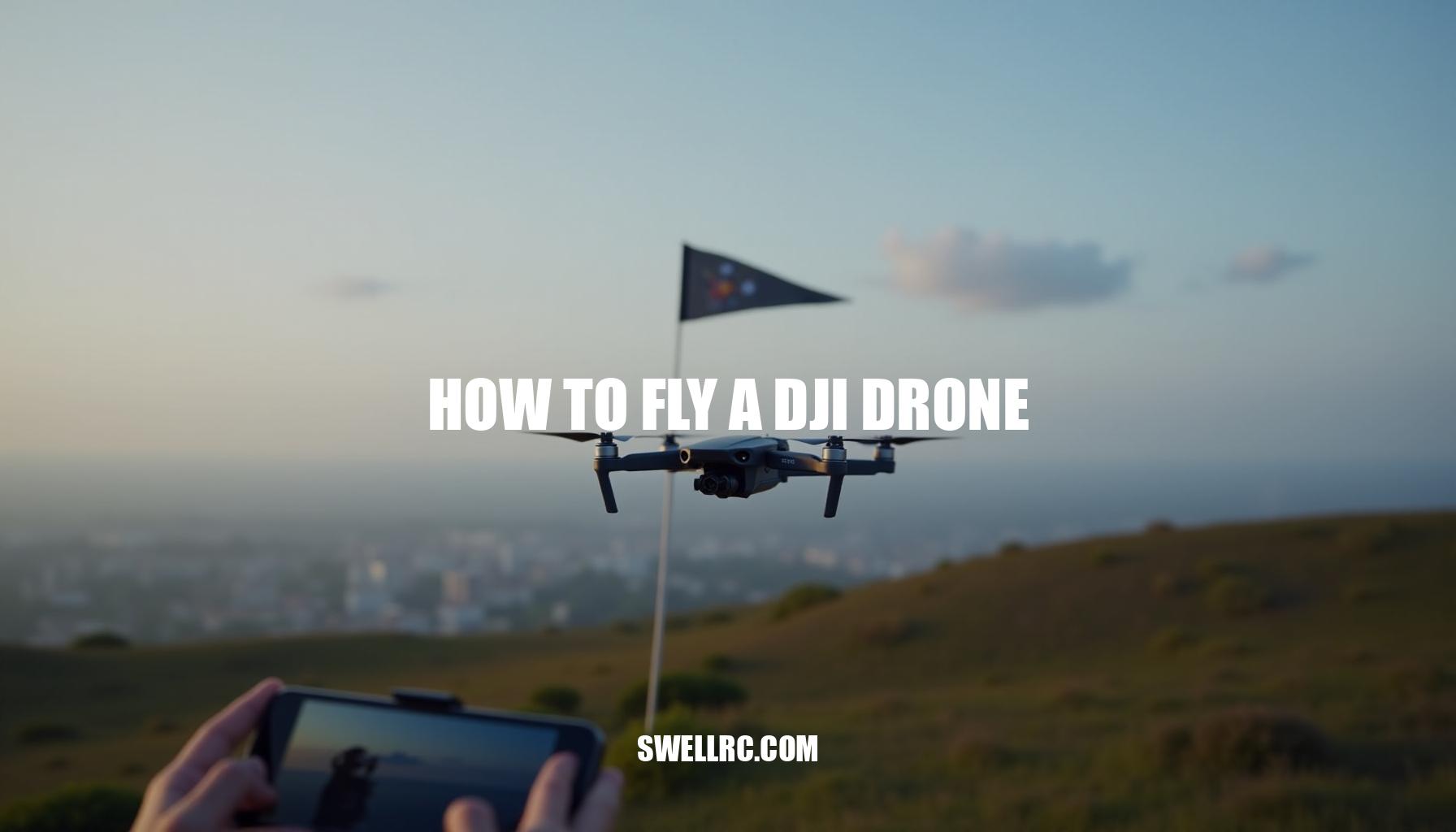
How to Fly a DJI Drone: A Comprehensive Beginner’s Guide

The day I unboxed my first DJI drone, I felt like I’d just been handed a personal spaceship. The battery clicked in with a satisfying snap, the gimbal sprang to life, and that first takeoff turned my knees into jelly—in the best way. Mastering how to fly a DJI drone took me from cautious hovering to confident, cinematic flights, and every session taught me something real.
DJI earns its reputation as the gold standard for consumer drones: rock-solid GPS, intuitive controls, and the DJI Fly App that guides you like a co-pilot. In this drone flying guide, I’ll walk you through setup, safety, calibration, first takeoff, beginner flight patterns, and the pro tips that kept me out of trouble. If you’re brand-new to sticks and flight dynamics, you might also peek at this general RC drone flying guide as a primer on quadcopter basics.
By the end, you’ll know how to launch safely, land smoothly, and explore intelligent modes with confidence—and with that spark of excitement that keeps us coming back to the sky. Along the way, we’ll cover essential drone safety tips, share DJI Fly App tips, and break down drone flight controls so you can master your drone like a pro in this comprehensive DJI beginner tutorial.
Preparing for Your First Flight: Setup, Safety, and the Right Mindset
Before every flight, I follow a comprehensive pre-flight checklist to ensure safety and optimal drone performance. This includes charging and labeling all batteries, updating the aircraft, remote, and battery firmware through the DJI Fly App. Inspecting propellers carefully for any chips or bends, confirming they have the correct orientation and are tightened properly, is crucial.
I format the microSD card in-camera and set my preferred video and photo defaults to avoid any issues during capture.
Calibration is essential but only performed when prompted—covering the IMU, gimbal, and compass on a level, open, non-metallic surface. For those interested in calibrating a DJI drone, even smaller platforms like Tello follow similar principles. Connecting the DJI remote control to your smartphone is next, where permitting location access and checking for geofencing or No-Fly Zone (NFZ) alerts ensures legal and safe flying.
Establishing a strong GPS lock (indicated by green status), setting your Home Point precisely, and configuring Return-to-Home altitude above local obstacles are critical steps that align with using GPS flight mode.
Before takeoff, I always verify weather conditions, wind speeds, and local regulations to choose the best spots to fly DJI drones legally, preferably wide-open fields free from magnetic interference. A short hover test at low altitude helps confirm everything is functioning before proceeding further.
When setting up the app connection and permissions, I open DJI Fly, log in, connect the controller via cable, and then power on the drone. Allowing Bluetooth, USB, and location permissions ensures the map and home point display accurately. Pre-caching the map of the flying area is a smart DJI Fly App tip, especially when planning flights without cellular coverage, since GPS satellite data remains reliable even offline.
My drone safety tips also include maintaining a calm mindset: expect some nerves on your first flight. Use slow, deliberate stick inputs, start in Cine or Normal flight mode, and keep the drone close—within 60 to 100 feet—until you build confidence. Following this practical, step-by-step approach minimizes risk and enhances your flying experience every time.
Mastering Takeoff, Hovering, and Landing
I still remember my first liftoff: thumbs trembling, props whispering, the drone rising like an elevator. Two minutes later I was hovering rock-steady—and hooked. For beginners wondering how to take off a DJI drone safely, establishing a good step-by-step first flight routine is crucial to mastering quadcopter basics and feeling confident with drone flight controls.
Here’s a beginner-friendly guide to help you get started:
- Place the drone on level ground with clear overhead space; power on the controller first, then the drone itself.
- Wait for a green GPS lock and Home Point confirmation; double-check battery and sensor status to ensure a smooth flight.
- Use Auto Takeoff in the DJI Fly app or gently push the left stick upward to rise to about 2–3 meters.
- Practice a stable hover by nudging the right stick forward, backward, left, and right with tiny inputs; then slowly yaw to get comfortable.
- Fly simple beginner drone flight patterns like a square or figure‑8 loop 10–20 meters out and back.
This helps build orientation skills.
- Make altitude changes smooth and watch for wind drift, using GPS flight mode’s position hold to your advantage.
- For landing, return directly over your takeoff spot, descend slowly, pause briefly at 0.5–1 meter to stabilize, then ease down gently. Alternatively, use the Auto Land feature when appropriate.
Understanding GPS flight mode versus manual control is important: GPS helps hold position steady, but if the signal drops (triggering ATTI-like behavior), expect some drifting. Counter this by applying gentle stick inputs carefully and avoid flying indoors or in tight spaces until you build more skill.
For indoor practice, a tiny trainer drone is ideal to develop stick finesse without risking damage.
If you’re interested in expanding your skills to FPV flying, note that some DJI FPV drones allow flights without goggles but come with trade-offs concerning control and compliance with local regulations. Explore beginner guides like the DJI beginner tutorial for mini drones and check out details on flying FPV safely at how to fly DJI FPV drone without goggles.
Navigating Advanced Controls and Drone Modes
Once you’re comfortable with the DJI Fly App tips and understanding the intelligent flight modes, you unlock both creativity and safety for your drone adventures. From buttery-smooth cinematic moves in Cine mode to automated subject tracking with ActiveTrack, the software acts like a smart co-pilot enhancing your experience.
Here’s a quick comparison guide to the key intelligent flight modes and drone flight controls I rely on most:
| Mode | Description | Best Use |
|---|---|---|
| Flight Profiles | Cine (slow, precise), Normal (balanced), Sport (fast, responsive) | Use Cine mode for tight, smooth shots; Sport mode only with ample space and experience |
| FocusTrack Suite | ActiveTrack (follows subjects), Spotlight (locks camera), Point of Interest (circles subject) | Ideal for solo creators capturing dynamic scenes |
| QuickShots | Dronie, Rocket, Circle, Helix, Boomerang, Asteroid (model-dependent) | Perfect for instant, social-ready video clips |
| Waypoints | Pre-plan routes for repeatable, professional-grade shots (supported on select models) | For complex, cinematic filming with precision |
| APAS / Obstacle Avoidance | Protective routing around obstacles (model-dependent) | Enhances safety while maintaining line of sight |
Cross-training your drone flight controls by practicing with various quadcopter types sharpens your skills. For example, working through UDI platforms (UDI drone flying guide) or retro micro-quads with UFO quadcopter instructions (UFO quadcopter orientation drills) translates well into mastering DJI’s intelligent modes.
When troubleshooting, if an intelligent mode fails to initiate, check these common factors: battery level, subject detection conditions, adequate lighting, minimum altitude requirements, and GPS flight mode status. Often, simply rebooting the aircraft and controller resolves intermittent issues, ensuring you get the best out of your DJI drone.
Pro Tips and Mistakes to Avoid When Flying DJI Drones
Flying drones safely and effectively is crucial, and learning from experience can save you a lot of headaches. Here are some essential drone safety tips and DJI Fly App tips gathered from real-world flying.
- Don’t over-calibrate: Only calibrate the compass or IMU when the app prompts you or after a significant move.
Performing calibration near metal objects can worsen accuracy, so avoid it. This is key when calibrating a DJI drone.
- Set Return-To-Home (RTH) altitude: Always set the RTH altitude above the height of trees, poles, and buildings for every new location to avoid obstacles during automatic return.
- Respect wind limits: Avoid flying on gusty days or in canyon wind tunnels. It’s safer to land early if wind conditions deteriorate.
- Monitor battery health and temperature: Keep your batteries warm during winter and cool in summer to maintain optimal performance and flight time.
- Confirm propeller orientation: After any transport, double-check your propellers’ direction.
Mismatched props will prevent lift-off.
- Maintain Visual Line of Sight (VLOS): Always keep your drone in sight. Obstacle sensors assist but shouldn’t be solely relied upon for safety.
- Cache maps before flight: Download maps on Wi-Fi ahead of time — you don’t need cell data to fly efficiently using the DJI Fly App.
- Use Cine mode when trying new locations: Fly with slower, smoother inputs to avoid crashes, especially when trying beginner drone flight patterns.
- Update firmware at home: Perform firmware updates before heading out and bring a spare cable for connecting your phone to the controller to avoid on-site issues.
- Customize button shortcuts: Set up custom buttons for essential functions like gimbal recentering and map toggle to speed up your workflow during flights.
For additional practice on tiny rigs, check out these Avialogic mini drone instructions offering excellent stick drills. Also, note that legal drone flying rules for night operations vary by region — sensor performance changes in the dark, so be sure to start with this guide on flying DJI drones at night.
Expanding Your Skills: From Hobbyist to Confident Pilot
When the basics click, push into creative flight and confident manual control. Start with small steps—disable some assists in safe spaces, and learn to manage drift with tiny, steady inputs. Understanding how to perform manual flight with DJI Fly App is crucial for advancing beyond beginner drone flight patterns effectively.
Skill-building drills I repeat often include:
- Precision landings: Land on a marked pad from different approach angles.
- Smooth arcs: Fly consistent, circular orbits at fixed altitude and speed.
- Altitude ladders: Climb/descend in 5–10 m increments while holding position.
- Dolly moves: Combine forward flight with slow gimbal tilt for cinematic reveals.
- Crosswind holds: Practice side-slipping into wind to keep a straight track.
If you enjoy micro-quads for muscle memory, this playful guide translates well to DJI stick finesse: https://www.swellrc.com/how-to-fly-a-ufo-drone/.
Personal inflection point: After dozens of flights, setting custom Expo and gain settings made my footage steadier and my inputs calmer. Try small changes and review your footage critically to refine your skills.
| Drill | Objective | Key Tips |
|---|---|---|
| Precision Landings | Improve exactness in touchdown | Use GPS flight mode initially, then disable assists gradually |
| Smooth Arcs | Develop consistent circular patterns | Focus on steady throttle and yaw control for smoothness |
| Altitude Ladders | Master controlled vertical movement | Maintain hover stability between increments |
| Dolly Moves | Create cinematic forward shots | Combine forward flight with slow gimbal tilt using DJI Fly App tips |
| Crosswind Holds | Control drift against wind | Practice side-slipping to maintain straight track |
Next steps include exploring ND filters, color profiles like D-Log M on supported models, waypoints for repeat shots, and editing fundamentals. Engaging with local flying clubs and online groups is invaluable for exchanging locations, legal tips, and creative ideas. This comprehensive drone flying guide will boost your confidence and creativity as you master quadcopter basics and increase proficiency with the DJI Fly App.
Conclusion — The Joy of Flight and Continuous Learning
Learning how to fly a DJI drone transforms your perspective of the sky into a dynamic playground. This drone flying guide emphasizes that with thoughtful setup, smart calibration, patient practice, and creative curiosity, your first careful liftoff evolves into a fluent aerial language. DJI’s fusion of stable hardware, intuitive software, and intelligent flight modes makes every step of progress feel natural—and fun.
Remember these essential pillars to master your flight:
- Prepare well by thoroughly reading your DJI beginner tutorial and ensuring all equipment is calibrated.
- Take off safely, following standard drone safety tips such as checking surroundings and weather conditions.
- Hover with control to build stability and confidence in maneuvering.
- Land with confidence, practicing smooth and precise touch-downs.
- Keep experimenting with modes and drills, including various beginner drone flight patterns to broaden your skill set.
Sharing your flights with the community enriches your experience, while keeping up with local regulations ensures responsible operation. Each new location, breeze, or subject teaches valuable lessons. Ultimately, the real goal transcends capturing perfect footage; it’s about embracing the sense of freedom and innovation that drives you to keep looking up and planning your next flight.
Frequently Asked Questions
- What do I need to know before flying a DJI drone for the first time?
Register and label your drone if required; read the manual; update firmware; check props and battery health; calibrate only when prompted on a level, open area; choose a wide, legal flying spot; set Return-to-Home altitude; start in Cine/Normal mode; keep line of sight; and watch wind and weather. - How do I connect my DJI drone to my smartphone?
Install DJI Fly (or DJI GO 4 for older models), power on the remote, connect your phone via USB/Lightning/USB‑C, then power on the aircraft. Open the app, allow permissions, select your aircraft, and wait for the camera view and status indicators to confirm connection. - How do I take off and land a DJI drone safely?
Use a level surface, wait for GPS lock and Home Point, then auto takeoff or gently raise the left stick to 2–3 m. Stabilize, practice small movements, and return over your pad. For landing, descend slowly, pause at 0.5–1 m to settle, then ease down or use Auto Land when appropriate. - Can I fly my DJI drone without the internet or GPS?
Yes, you can fly without internet; cache maps beforehand if needed. GPS enables position hold and reliable RTH. Without GPS (indoor or signal-poor areas), the drone may drift and RTH is limited, so you’ll need stronger manual stick control and extra caution. - How long does a DJI drone battery last?
Rated flight times are typically 30–45 minutes depending on model, but real-world times trend around 22–32 minutes with wind, temperature, and flying style. Land with 25–30% remaining, carry spares, and keep batteries within recommended temperature ranges. - How can I practice flying a DJI drone indoors?
Use prop guards, set Cine/Tripod or low-speed mode, turn off auto RTH ascent if space is limited, and keep to larger rooms with minimal obstacles. Alternatively, practice with a tiny trainer drone or use a simulator before indoor flights. - What are the rules for flying DJI drones at night?
Rules vary by country. In the U.S., you need anti-collision lights visible for 3+ miles and must maintain visual line of sight. Avoid flying over people, check local restrictions, and note that sensors and vision systems may be less effective in low light. - How do I troubleshoot a DJI drone that won’t calibrate properly?
Move to an open area away from metal, cars, rebar, or electronics; place the drone on a level surface; remove magnetic accessories; restart the aircraft and remote; update firmware; calibrate IMU first, then compass and gimbal; and try a different location if errors persist.